Create a class and share the code
-
On Classes, fill in Create a class (a name and, if you like, a section) and choose Create. (Command:
class.create.)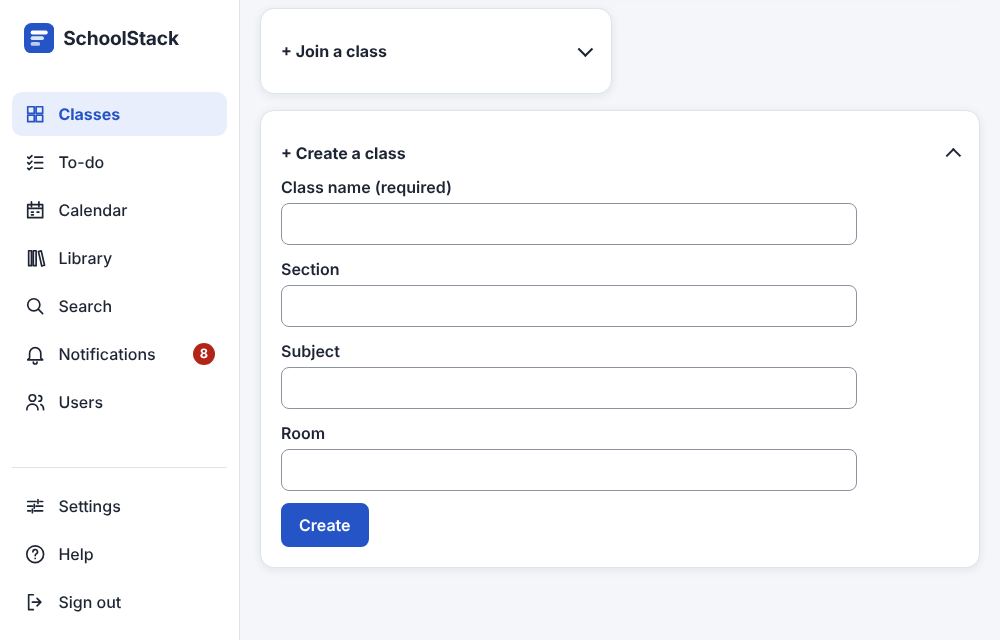
-
The class's Stream shows its class code in the banner: give it to your students so they can join.
-
Or copy the Class invite link under the banner (also in Settings ▸ Class code) and send it by message or email.
Good to know
- Students who open the link see "Join Science?" and choose Join; without an account they sign
in or create one first and come straight back. (Commands:
class.join;class.findByCodeshows which class a link opens.) - The link is the class code in a link, so Reset code or Turn code off stops it too.
Example: Ms. Sara creates "Science", section "Grade 8 – A". The banner on its Stream shows the class code w4x6ykf; she writes it on the board, and her students join with it. For the students who were absent she copies the Class invite link into the class's WhatsApp group.
Related: All the ways to add or remove people · Settings: General · Copy a class