Join a class
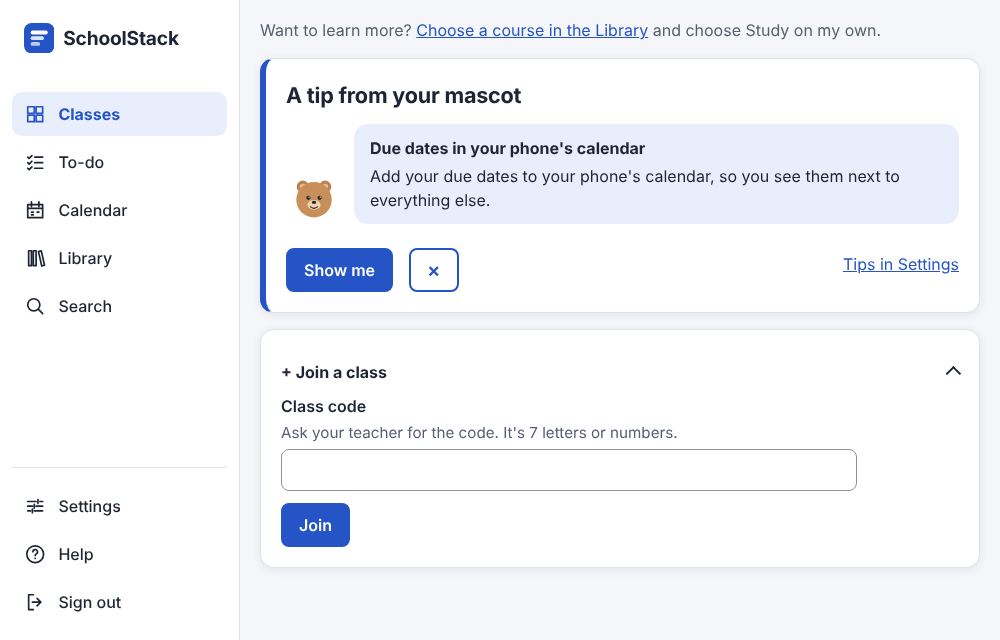
- On Classes, choose + Join a class.
- Type the Class code your teacher gave you (capital or small letters both work).
- Choose Join. The class appears on your Classes page. (Command:
class.join.)
Other ways in
- Open the class invite link your teacher sent: it shows the class and a Join button. If you aren't signed in, sign in (or create an account) on that page first; you come straight back to join.
- Your teacher invites you by email: the class appears at the top of your Classes page ("Invitation: …") with Join and Decline.
- No account yet? The invitation email has a link (or your teacher sends you the link in a message): open it within 7 days, type your name and a password, and choose Create account and join.
Example: Mona gets the email "Invitation to join Biology". She has no account yet, so she taps the link, chooses a password, and lands on the Biology Stream.
Good to know
- To leave a class, open its People tab and choose Unenroll from this class.
(Command:
class.leave.)
Example: Ali's teacher writes w4x6ykf on the board. Ali opens + Join a class, types W4X6YKF (capital letters don't matter) and chooses Join. "Science" appears on his Classes page.
Related: What to do next · Find your work · Your home page: Classes